← Back to Work

How to Sync Pearson Grades with Your LMS

ProjectHow to Sync Pearson Grades with Your LMS
ClientPearson Education
RoleArt Director, Creative Director, Motion Designer & Animator, Writer & Editor, Voice Over Director
SoftwareAdobe Premiere Pro, Adobe After Effects, Adobe Illustrator, Adobe Photoshop
Turnaround2 weeks

Pearson Education’s product team asked me for an explainer video introducing its new workflow for syncing LMS grades with its digital courseware. The video was used in marketing communications, on Pearson’s support site, and on its YouTube channel.

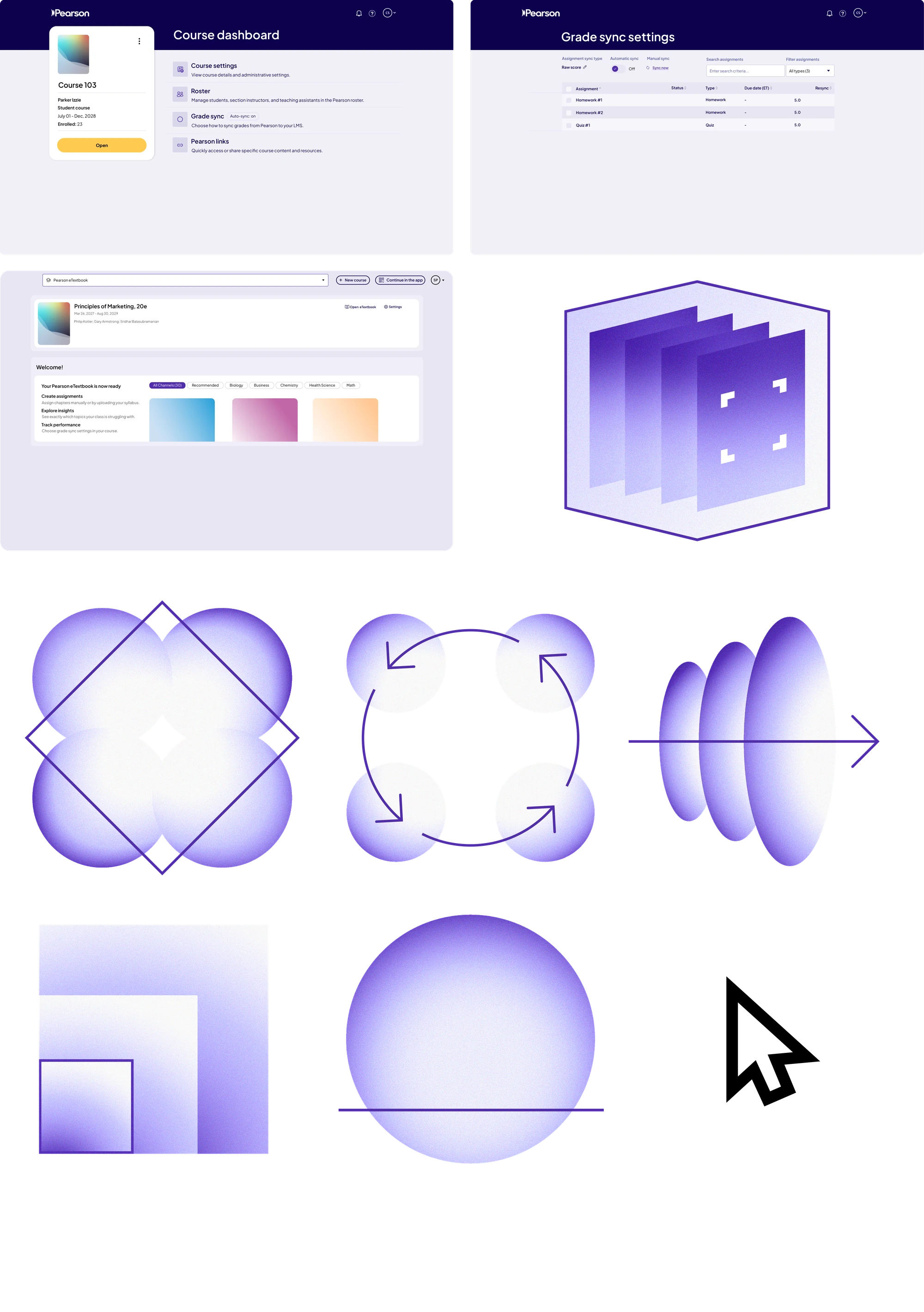
For the design, I recreated Pearson’s product UI as vectors in Adobe Illustrator to create crisp graphics for the video, and combined them with a collection of abstract “pictogram” art that I animated into visuals used throughout the piece.
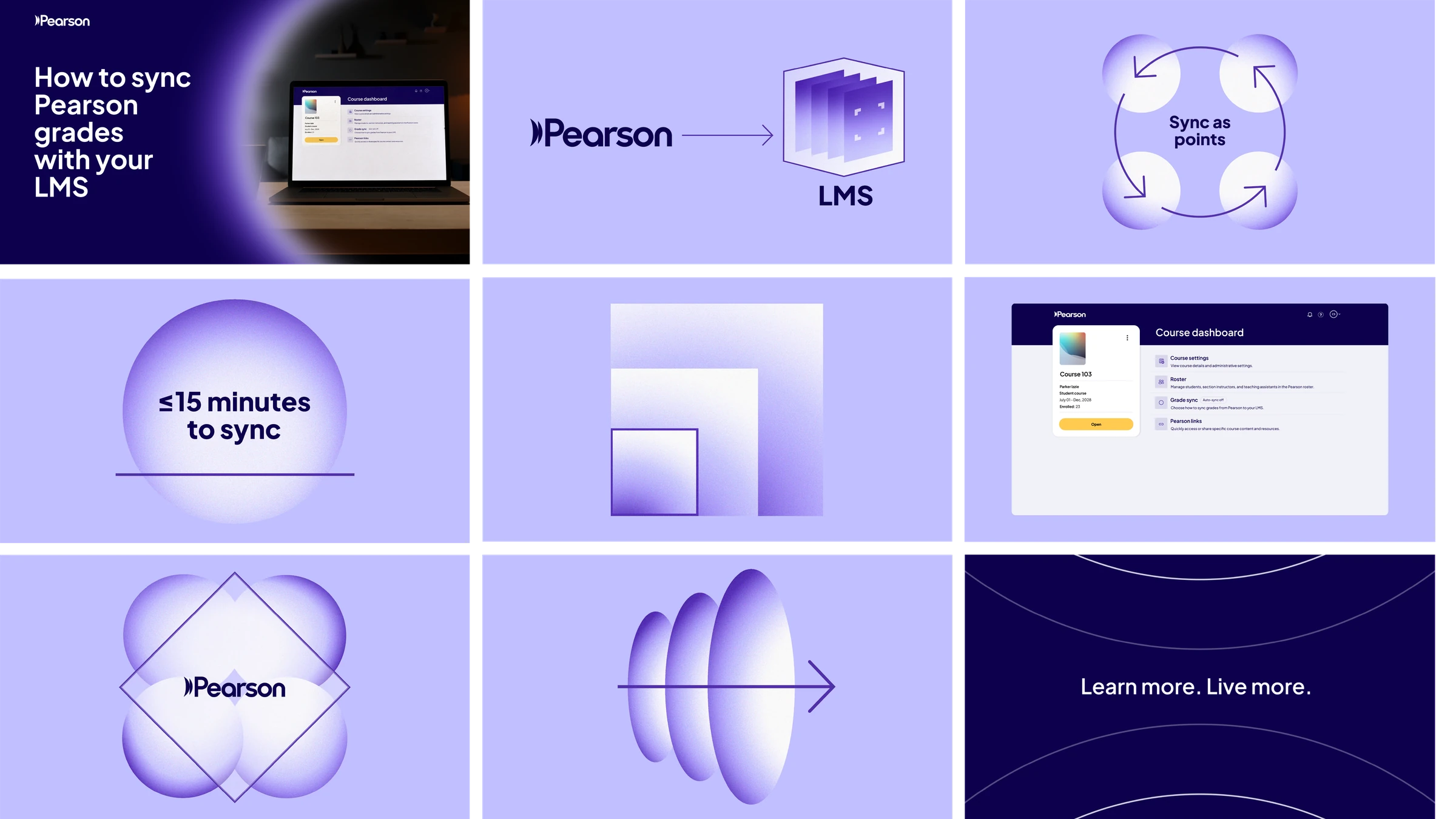
Final edit.
Style frames for the How to Sync Pearson Grades with Your LMS video: title card, Pearson to LMS graphic, sync animation, course dashboard and outro
Style frames.
Collage of the Course dashboard, Grade sync settings and Pearson eTextbook screens, with the custom graphics used in the video
UI and graphics collage: Pearson product UI recreated as vectors, plus the abstract pictogram art.
Composite shot placing the Pearson course dashboard on a laptop screen
Custom composite shot, created for the video.
Custom animation of the LMS system graphic
Custom LMS “system” pictogram animation, created for the video.
Custom Sync as points animation with four circles and rotating arrows
Custom “Sync as points” pictogram animation, created for the video.
Custom animation of nested gradient squares
Custom squares pictogram animation, created for the video.
Custom animation of a diamond outline and circles that reveals the Pearson logo
Custom diamond pictogram animation with the Pearson logo, created for the video.
Custom animation of layered ellipses with an arrow
Custom arrow pictogram animation, created for the video.

How to Link Pearson with Google Classroom →
How to Access Your Pearson eTextbook →
How to Create a Pearson Educator Account →